Platform:Win95,Win98,WinME,WinNT 3.x,WinNT 4.x,WinXP,Windows2000,Windows2003,Windows Vista Starter,Windows Vista Home Basic,Windows Vista Home Premium,Windows Vista Business,Windows Vista Enterprise,Windows Vi
Secure remote access to your PC or Mac at anytime from any computer. NTRconnect Free offers access to e-mail, files and folders. NTRconnect Pro is a complete solution for taking full control of any remote computer and transferring files easily.
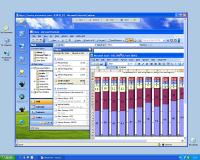
Secure remote access to your PC or Mac from any computer at any time. NTRconnect Free offers easy access free of charge to all your applications, files, folders and email for up to two computers. NTRconnect Pro includes all the features of NTRconnect Free plus file transfer, advanced keycard security, Wake-on-LAN, invite a guest capability and keyboard, mouse and screen blocking. All NTRconnect products use 256bit AES end-to-end encryption to ensure the safety and privacy of your remote sessions. You can further enhance security by using key cards, authenticated user sessions and a wide range of features designed to guarantee corporate-level security. Use either NTRconnect Free or NTRconnect Pro to work from any location or to access your computer resources while traveling. Keep in touch, answer e-mails, respond to your customers and colleagues at any time no matter where you are. No more driving in to the office just to check emails or get a needed file. Access your intranet whenever you need to. You can access your corporate intranet as if you were working right in front of your office PC. How does it work? First, access the NTRconnect and enter your username and password. Second, select the computer you wish to control (you can select any of the computers you have access to from the Control Panel). Third, access the remote computer selected; the desktop of the remote computer will appear in a new window. From there, you can access all your files and programs. NTRconnect works with Skype. Share your desktop with your contacts by sending them a link via a Skype message.Download a free trial version of NTRconnect today and see how easy it can be to remotely access your PC or Mac.
Whats new in version 2.0: Mobile remote access and improved desktop sharing. Requirements: Hardware: minimum Pentium with 128 Mb RAM, Mac users: Download available in www.ntrconnect.com Operating system: Win95,Win98,WinME,WinNT 3.x,WinNT 4.x,WinXP,Windows2000,Windows2003,Windows Vista Starter,Windows Vista Home Basic,Windows Vista Home Premium,Windows Vista Business,Windows Vista Enterprise,Windows Vi Release notes: New Release
PenyuLAN software for internet cafe operators to monitor PC in cyber cafe. PenyuLAN can perform remote PC monitoring to lock/unlock screen, restart, logoff, shutdown, send warning message, capture screen, check running progres etc.
Price: $0, Rating: 5, Downloads: 112 Download
ATAF-Web gallery is 100% web-based online picture gallery in a familiar XP design
ATAF-Web gallery is a easy to install online picture gallery, where you can upload and share pictures with other people.
Price: $99.99, Rating: 2.5, Downloads: 91 Download
Netman is high security and user-friendly Remote Control software that is free. You can achieve remote control by inputting partner's IP/ID displayed on the software. It adopts the DSE encrypt mode generally used by banks which is safe and reliable.
Price: $0.00, Rating: 9, Downloads: 83 Download
User Rating
Rating:2.2 out of
5 Based on13 ratings.
13 user reviews.

 NTRconnect 2.0 details